
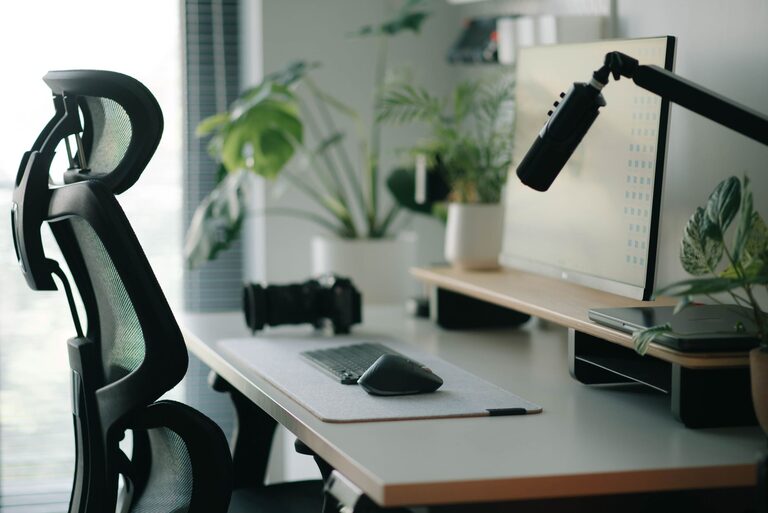
Creating an effective desk setup is essential for maintaining focus and comfort during long hours of work or study. Whether you work from home or spend time in an office, a well-organized and thoughtfully arranged workspace can improve productivity, reduce fatigue, and enhance your overall wellbeing. In this post, we’ll explore practical tips to help you design a desk setup that supports both concentration and comfort.
Why Your Desk Setup Matters
Your workspace affects more than just your appearance; it influences how you feel and work. A cluttered or poorly arranged desk can lead to distractions, discomfort, and even physical strain. Conversely, a space designed with attention to ergonomics, lighting, and organization encourages better posture, minimizes stress, and helps you focus.
Choose the Right Desk and Chair
Desk Height and Surface
Start with a desk that suits your height and the tasks you perform. A standard desk height is about 28-30 inches, but adjustable desks or standing desks offer greater flexibility. Ensure there’s enough space for your computer, documents, and any tools you need without overcrowding the surface.
Ergonomic Chair
Invest in a chair that supports your lower back and promotes good posture. Look for chairs with adjustable height, lumbar support, and comfortable cushioning. Sitting with feet flat on the floor and knees at about 90 degrees helps reduce strain.
Position Your Monitor Correctly
The placement of your monitor can affect both comfort and eye health.
– Position the monitor about an arm’s length away.
– The top of the screen should be at or just below eye level.
– Tilt the monitor slightly upward to reduce glare and neck strain.
If you use multiple monitors, try to keep them at the same height and distance for a smooth viewing experience.
Organize Your Desk Essentials
Keep Frequently Used Items Handy
Arrange your most-used items—pens, notebooks, phone, or tablet—within easy reach. This reduces unnecessary movements and keeps your focus uninterrupted.
Declutter Regularly
A clean desk helps clear your mind. Use drawers, organizers, or storage boxes to keep clutter out of sight. Set a weekly routine to tidy your workspace.
Optimize Lighting
Good lighting reduces eye strain and improves alertness.
– Use natural light when possible, positioning your desk near a window.
– Avoid glare on your screen by adjusting blinds or curtains.
– Add a desk lamp with adjustable brightness for focused tasks.
– Choose bulbs with a color temperature around 4000K–5000K for a natural, bright light.
Maintain Good Posture and Take Breaks
No desk setup is complete without attention to how you sit and move.
– Sit upright with your back supported.
– Keep shoulders relaxed and elbows close to your sides.
– Take short breaks every 30-60 minutes to stand, stretch, or walk.
– Consider incorporating a footrest if your feet don’t comfortably reach the floor.
Personalize Your Space Mindfully
Adding personal touches can make your workspace inviting but be careful not to overcrowd it.
– Use a small plant to add greenery and improve air quality.
– Choose calming colors or artwork that inspire you.
– Limit decorations to a few meaningful items to avoid distractions.
Use Technology to Your Advantage
Technology can support your focus:
– Use cable organizers to keep cords tidy.
– Choose wireless peripherals to reduce clutter.
– Consider noise-canceling headphones if your environment is noisy.
– Use apps or timers to manage tasks and breaks efficiently.
Final Thoughts
Creating a desk setup that combines focus and comfort is a process of tuning your environment to your needs. By choosing the right furniture, optimizing lighting, organizing your essentials, and paying attention to ergonomics, you can build a workspace that supports productivity and wellbeing. Remember, small adjustments can make a big difference in how you feel and work throughout the day.
Take time to evaluate your current setup and try implementing these tips to discover what works best for you. Your desk isn’t just a place to work—it’s where you bring your best self to your tasks.